Definition
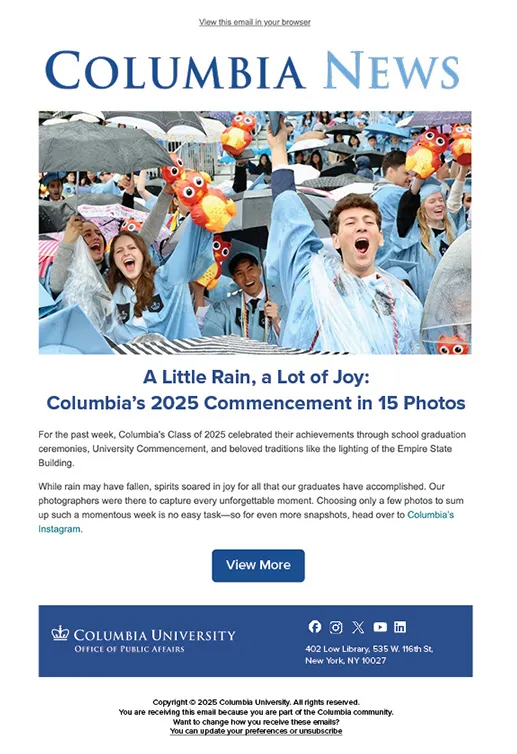
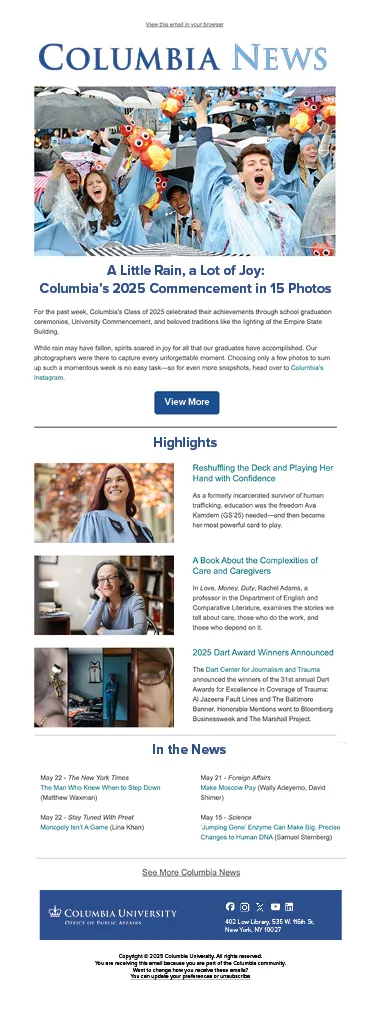
Emails combine elements and components to create reusable templates for regular as well as ad hoc communications. Emails are made up of a subject line, to and from email addresses, header, body, and footer and should include logos, icons, calls to action, and imagery.
Usage and Specifications
Body
The ideal email text length is between 50 and 125 words. If your communications needs require more, address lengthy emails by separating body text into paragraphs separated by subheads. This chunking will increase readability, making readers more likely to engage with the content and ensuring your content meets the accessibility standard.
For example, the subhead “Graduation To-do List” might detail a list of activities leading up to Commencement. As readers scroll through the body text, a new subhead might be “Do You Know the History of Columbia Commencement?” describing the history of the ceremony and notable speakers and alumni.
Subheads allow readers to scan emails and quickly identify sections of interest to them. Subheads are indicators of important sections of the narrative and guide users through the story, to the end of the content.
Buttons
If you’re able to relay your message within the 50- to 125-word limit, you’ll need a button to direct users to additional information. Buttons are also handy for addressing longer emails by directing users to webpages, though we caution using more than one button. You don’t want to confuse users by offering them more than one option; you want to focus their attention on a specific task, e.g., clicking through to your news or events site, completing a form, etc.
Ideally, emails are 50-125 words with one button at the end.
Colors
Colors for calls to action, buttons, and logos in emails should follow the brand and design system guidelines, which leave room for creative design treatments and motifs outside of branding and buttons. Remember that every fore- and background color combination must meet the University accessibility standard of WCAG 2.0 AA; the Americans With Disabilities Act is federal law, and compliance is required. Use a contrast checker to test your combination.
Fonts
Fonts should follow, as much as possible, the brand guide and design system guidelines. Columbia Design System allows flexibility for special occasions as well as seasonal and holiday traditions, but general emails should use Proxima Nova for body text. Do not use serif fonts as they decrease readability and are less likely to meet the accessibility standard. While it’s okay to get creative with display fonts—think “Happy Holidays” in cursive at the top of an email—do not use cursive or serif fonts for body text.
Follow the design system guidelines for font stack and font sizes for the most effective communications.
Headers and Footers
Headers should include a single brand-compliant logo for your unit that has been approved by Columbia Creative. Footers should include the corresponding school or parent office logo, your mailing address, a link to University copyright info, and unsubscribe options. Under certain circumstances, the parent brand trademark, Columbia University in the City of New York, may be used in the footer. When available, a list of social media channels should be included to allow readers to remain connected and follow any upcoming postings, events, and activities.
Hyperlinks
Hyperlinks should route to an active, updated webpage. The hyperlinking text should be descriptive of the information users are being linked to. Do not use words such as “here” or “click here” as the hyperlink. This is a general best practice and is important for accessibility.
- Good example: The Columbia Design System font stack is available online.
- Poor example: Click here to see the Columbia Design System font stack.
Images
Images should be of a high resolution and optimized for digital consumption. Images embedded in emails can be much smaller than those typically used on a website. An image that spans the entire width of an email should be no larger than 750 pixels and is likely best at around 650 pixels; height will vary based on the composition of the image. Narrower images can be embedded with text wrapping around them; these should be 200-400 pixels wide.
Another note on accessibility: Be sure to add alt text to images that add important context to the other content. For images that do not provide important context and are decorative (think background images), do not add alt text; instead add two quotation marks ("") in the alt text field. The Americans With Disabilities Act is federal law, and compliance is required.
Subject Lines
Write tight and make it catchy. Aim for no more than 50 characters. Try some of the tips below to add pizzazz and increase the likelihood users click on your call to action:
- Add an emoji, where appropriate
- Personalization builds trust
- Create a sense of urgency
- Keywords help
- Use preview text if available
Read more about how to write catchy subject lines and other email best practices.
Examples