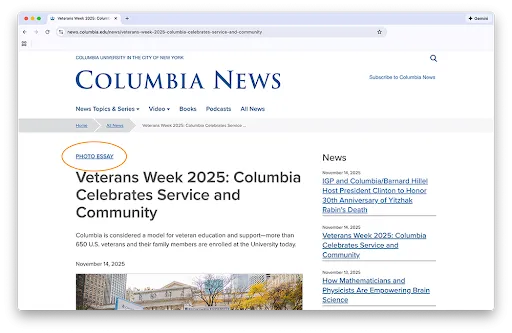
Tags
Definition
There are many types of tags; this component refers to content tags: short descriptive terms used to label content that help users search, filter, and navigate.
Groups of tags form taxonomies, which provide a hierarchical system that can be used to organize content and push content to different parts of your website or application. When added to content, tags allow users to filter for specificity and categorization. Tags also provide an important alternate form of navigation.
Usage
When properly applied, tags help users navigate systems quickly and improve SEO. They enable users to search, filter, and organize content efficiently. Tags also play a critical role in supporting metadata and navigating an application or website.
Best Practices
- Avoid creating duplicate tags, check for pre-existing or similar tags when working within a content management system (CMS)
- Plan tag usage with team members to ensure consistency
- Use consistent spelling and punctuation to avoid duplicating tags (i.e., e-mail vs. email, Holiday vs. holiday, art vs. arts)
- Develop the habit of checking and culling tags regularly
Taxonomies
Taxonomy terms enhance the organization and navigability of your content by categorizing content and enabling dynamic filtering. By tagging content with specific terms, you can display aggregated content, thus facilitating organized and user-friendly content presentation.
When to Use Taxonomies
Utilize taxonomy terms when you need to:
- Group content by type, e.g., events, news articles, profiles
- Filter content dynamically on specific pages, e.g., events landing page
- Create pre-filtered listings for targeted content presentation
Examples
Tags can be used in a number of capacities. Following are a few examples.
Content Tags for News Articles or Events
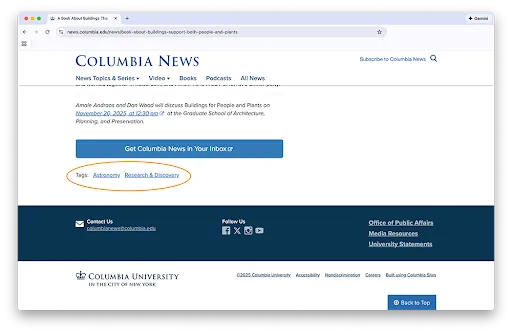
Slugs for News Articles and Events